
The digital estate inventory: a 90-minute method to map everything you own online
Most families can't list half of what a loved one owned online. Here is a practical, time-boxed method to build a digital estate inventory — and keep it current.

A digital estate inventory is a structured list of your online accounts, digital assets and the information needed to find, value and access them. You can build a solid first version in about 90 minutes by working in four passes — money, identity, memories, obligations — and storing the result somewhere encrypted that your chosen people can reach only when the time comes.
- Work in passes (money, identity, memories, obligations) instead of trying to remember everything at once.
- Record where an asset is and how it is accessed — not just that it exists.
- Never write recovery phrases or passwords into a will: wills can become readable by many people during settlement.
- Review the inventory once a year; digital lives change faster than paper ones.
Ask anyone to list their online accounts from memory and they will stop somewhere around fifteen. The real number for a typical adult is many times that: banks and brokers, a pension portal, two email addresses, cloud storage, a crypto exchange someone opened in 2021 and forgot, photo libraries, domain names, loyalty schemes, subscriptions that still charge a card every month.
When someone dies, their family inherits that sprawl without a map. The problem is rarely that the assets are hidden on purpose — it is that nobody ever wrote down that they exist. A digital estate inventory fixes exactly that.
Why a time-boxed method works better than a “someday” list
People postpone this task because it feels endless. The trick is to make it finite. Give yourself 90 minutes, a cup of coffee and four short passes. You will not capture everything in the first session, and that is fine: an 80% inventory that exists beats a perfect one that doesn't.
The four passes
- Pass 1 — Money (30 minutes)Open your banking app and your email search bar. Search for words like “statement”, “account”, “portfolio”, “contract”, “policy”, “dividend”. Every sender is a candidate: banks, brokers, pension providers, insurers, crypto exchanges, crowdfunding platforms, payment apps holding a balance. Note the institution, the type of account and the country.
- Pass 2 — Identity and access (20 minutes)List the accounts that unlock other accounts: your main email addresses, your phone number, your password manager, your authenticator app, your Apple or Google account. These are the keys to the kingdom — if your family can't reach them, they can't reset anything else.
- Pass 3 — Memories and creations (20 minutes)Photo and video libraries, cloud drives, social profiles, blogs, writing, music, design files. Their financial value may be zero; their emotional value is often the highest of all.
- Pass 4 — Obligations (20 minutes)Subscriptions, recurring payments, loans, leases, domain renewals, business tools. These are the things that keep costing money — or create liabilities — after you are gone.
What to record for each item
A name is not enough. For each entry, capture what your heirs will actually need on a bad day:
| Field | Why it matters | Example |
|---|---|---|
| Institution & country | Determines which procedure and which law applies | Online broker, Ireland |
| Type of asset | Tells heirs what to expect (cash, securities, crypto, file) | Equity portfolio |
| Approximate value | Helps prioritise and spot missing assets later | ~45,000 |
| How to access it | Login method, 2FA device, hardware wallet location | App + authenticator on phone |
| Supporting documents | Proof of ownership speeds up every claim | Account opening letter, last statement |
| Who should receive it | Your intention, to discuss with your notary or lawyer | Split between two children |
In many countries a will becomes accessible to several people during the settlement of the estate — and in some, it can become part of a public record. Passwords and crypto recovery phrases do not belong there. Keep them in an encrypted place designed to release them only to the right person.
Where to keep the inventory
The inventory itself is sensitive: it is a map of your wealth. A spreadsheet on your laptop is invisible to your family; a printed copy in a drawer is visible to everyone who opens the drawer. You want three properties at once: encrypted at rest, updatable in minutes, and released automatically to the right people when you can no longer act.
Turn your inventory into a living vault
In OSTREON, each line of your inventory becomes an asset with its own value history, documents and access details — encrypted on your device with AES-256 before anything is sent. You then link each asset to one or several beneficiaries, with priorities.
You confirm you’re fine with one click every 7 to 90 days. If one day you no longer respond, each beneficiary receives secure access to only what you assigned to them.
Start your free month →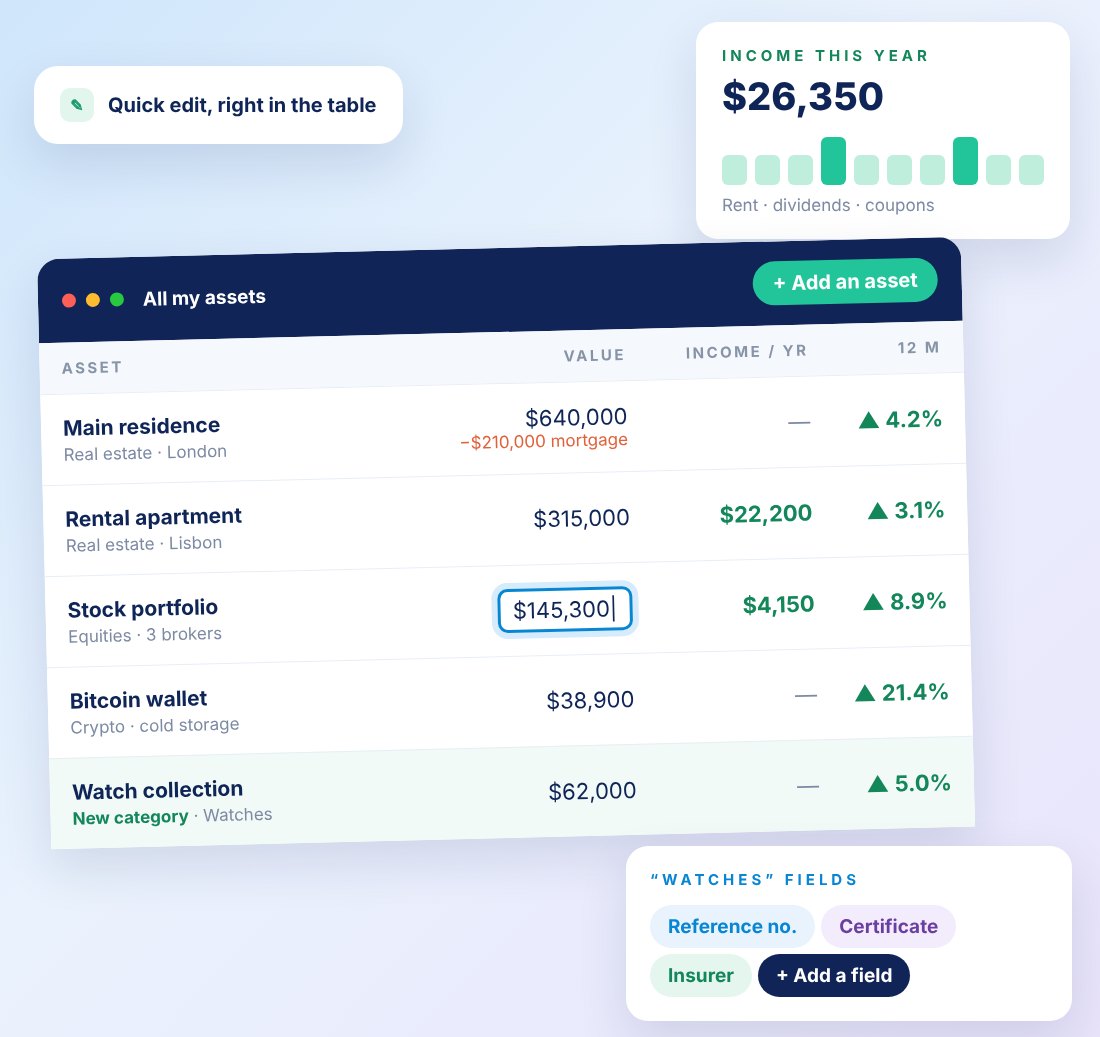
Keep it alive: the yearly 15-minute review
Put a recurring reminder in your calendar — your birthday or New Year's Day works well. Scan the last twelve months of email for new financial senders, delete closed accounts, refresh values and check that your beneficiaries' contact details are still correct. For a structured version, see The annual legacy check-up: a 20-minute ritual.
Frequently asked questions
What counts as a digital asset in an estate?
Anything of value that exists or is accessed online: bank and brokerage accounts, crypto, online businesses, domain names, cloud files, photos, loyalty balances, and the accounts (email, phone, password manager) that unlock all of the above.
How long does it take to create a digital estate inventory?
A useful first version takes about 90 minutes if you work in four passes: money, identity and access, memories, and obligations. Afterwards, a 15-minute annual review keeps it current.
Should I write my passwords in my will?
No. A will can be read by several people during settlement and may become part of a public record in some countries. Store credentials and recovery phrases in an encrypted tool that releases them only to the person you designate.
Where should I store my digital estate inventory?
Somewhere encrypted, easy to update and capable of releasing information to your chosen people automatically. OSTREON was built for exactly this: an AES-256 encrypted vault with automatic, beneficiary-specific transmission.
This article is general information, not legal, tax or financial advice. Rules differ by country and change over time — check with a qualified notary, lawyer or adviser for your situation.